
Introduction
The laptop market in 2026 has reached a new level of innovation. With faster processors, longer battery life, and improved displays, choosing the right laptop has become more exciting and challenging. Whether you are a student, professional, or casual user, finding a laptop that meets your needs can make a huge difference in productivity and entertainment. This laptop review 2026 aims to provide a clear, detailed guide to help beginners and intermediate users make informed choices.
Today’s laptops are not just portable computers; they are powerful devices that can handle heavy software, gaming, multimedia editing, and multitasking effortlessly. With multiple brands offering diverse models, it’s easy to get overwhelmed by technical specifications, performance benchmarks, and pricing. This review will simplify all that information, highlight key features, and compare the best options available in 2026.
What is a Laptop?
A laptop is a portable personal computer that integrates all essential components like the processor, memory, storage, and display into a single compact unit. Unlike desktop computers, laptops are designed for mobility, allowing users to work, study, or entertain themselves from anywhere.
Modern laptops come with advanced hardware such as SSD storage, high-speed RAM, and powerful CPUs capable of handling complex tasks. Many models now feature touchscreens, detachable keyboards, and high-resolution displays suitable for creative work. The evolution of laptops has made them versatile tools for both personal and professional use.
In 2026, laptops also support faster connectivity options, longer battery life, and better cooling systems. Brands like Apple, Dell, HP, Lenovo, and ASUS are introducing models that cater to students, professionals, gamers, and casual users. Understanding these basics helps you make an informed choice based on your requirements.
Why is a Laptop Important?
Laptops have become essential tools for work, education, and entertainment. Their importance lies in their ability to combine portability with functionality. Here are key reasons why laptops are vital in 2026:
- Work and Productivity: Laptops allow users to complete professional tasks, from document editing to running complex software, without being tied to a desk.
- Education: Students can access online courses, research materials, and virtual classrooms easily, enhancing learning flexibility.
- Entertainment: High-resolution displays and powerful processors make laptops suitable for streaming, gaming, and creative content creation.
- Connectivity: With Wi-Fi 6, Bluetooth 5.3, and USB-C ports, laptops ensure seamless connection with other devices.
- Mobility: Lightweight designs and long battery life mean users can work anywhere, from coffee shops to offices.
In 2026, the laptop has become more than a computing device. It’s a versatile tool that balances performance, portability, and convenience. Choosing the right laptop can significantly impact efficiency, creativity, and overall digital experience.
Detailed Step-by-Step Guide to Choosing the Right Laptop
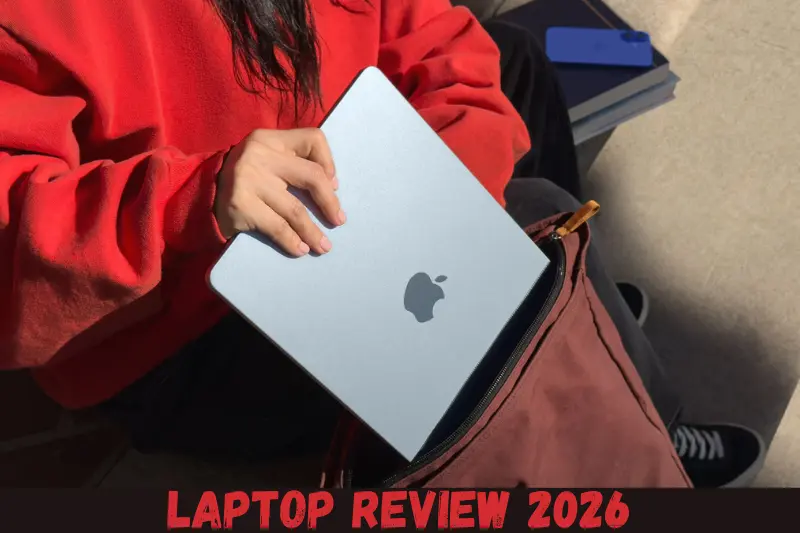
Choosing a laptop can be confusing because of the wide variety of options available. Here’s a step-by-step guide to simplify your decision:
Step 1: Determine Your Purpose
Before buying, identify your primary usage:
- Students: Lightweight, affordable, good battery life.
- Professionals: Fast processors, ample RAM, storage, business software compatibility.
- Gamers: High-end GPUs, fast refresh rate displays, cooling solutions.
- Content Creators: Color-accurate displays, high RAM, SSD storage, graphics capabilities.
Step 2: Set a Budget
Laptops in 2026 come in different price ranges:
- Budget laptops: $300–$600, suitable for basic tasks.
- Mid-range laptops: $600–$1200, ideal for professionals and light gaming.
- High-end laptops: $1200+, for gaming, video editing, and heavy multitasking.
Step 3: Check the Processor (CPU)
The CPU determines your laptop’s speed and performance. In 2026, the common choices are:
- Intel Core i3/i5/i7/i9 13th Gen
- AMD Ryzen 5/7/9 7000 Series
- Apple M3/M3 Pro Chips for MacBooks
Step 4: Choose the Right RAM
- 8GB RAM: Suitable for basic users and students.
- 16GB RAM: Ideal for professionals and multitaskers.
- 32GB RAM or more: Recommended for content creators and gamers.
Step 5: Storage Options
- SSD (Solid State Drive): Faster boot and file access. Minimum 256GB recommended.
- HDD (Hard Disk Drive): Cheaper, slower, and rarely recommended for modern laptops.
- Hybrid storage: Some laptops combine SSD and HDD for speed and storage.
Step 6: Display and Graphics
- Resolution: Full HD (1920×1080) is standard; 4K is available for high-end laptops.
- Refresh Rate: 60Hz is standard; 120Hz+ is better for gaming.
- Graphics: Integrated graphics are sufficient for daily use; dedicated GPUs like NVIDIA or AMD are essential for gaming or video editing.
Step 7: Battery Life
Battery life is crucial for portability. In 2026, many laptops offer 10–20 hours of battery life. Always check reviews and real-world usage tests before buying.
Step 8: Connectivity and Ports
Ensure the laptop has the ports you need: USB-C, USB-A, HDMI, SD card reader, and audio jacks. Wi-Fi 6 and Bluetooth 5.3 are standard for fast connections.
Step 9: Build Quality and Keyboard
A sturdy build and comfortable keyboard make long typing sessions easier. Metal bodies are more durable than plastic.
Step 10: Operating System
- Windows 11/12: Most compatible, ideal for business and gaming.
- macOS 14/15: Best for creative professionals.
- Chrome OS: Lightweight, affordable, great for students.
Following this step-by-step guide will help you narrow down the best laptop options in 2026.
Benefits of a Laptop
Choosing a good laptop comes with numerous benefits:
- Portability: Work or study from anywhere.
- Multitasking: Handle multiple apps and software efficiently.
- Entertainment: Stream movies, play games, and edit media.
- Connectivity: Connect to the internet and other devices effortlessly.
- Improved Productivity: Faster processors and software compatibility increase efficiency.
- Long-Term Investment: High-quality laptops last for years with proper care.
- Versatility: Suitable for work, study, gaming, and creativity.
Disadvantages / Risks
While laptops are versatile, they come with some downsides:
- High Cost: Premium laptops can be expensive.
- Repair Difficulty: Laptops are harder to repair than desktops.
- Limited Upgrades: RAM or storage upgrades may be restricted in some models.
- Battery Degradation: Over time, battery performance decreases.
- Overheating: Intensive tasks can heat up the laptop if cooling is insufficient.
- Screen Fragility: Laptop screens are delicate and prone to damage.
Common Mistakes to Avoid
Avoid these mistakes to get the best value:
- Ignoring Usage Needs: Buying a gaming laptop for simple browsing is unnecessary.
- Neglecting Battery Life: A powerful laptop with poor battery isn’t practical.
- Overlooking Reviews: Always check real-world performance before purchasing.
- Focusing Only on Specs: A laptop with high specs but poor build quality can be frustrating.
- Ignoring Warranty: Choose laptops with reliable warranty and customer support.
- Skipping OS Consideration: Ensure your software needs match the operating system.
FAQs
1. What is the best laptop brand in 2026?
The top brands include Apple, Dell, HP, Lenovo, and ASUS. Each brand offers models tailored to specific needs such as gaming, professional work, or casual use.
2. How much RAM do I need?
For basic use, 8GB is sufficient. For professionals or gamers, 16GB–32GB ensures smooth performance and multitasking.
3. Are SSDs better than HDDs?
Yes, SSDs are faster, more reliable, and improve boot times. HDDs are cheaper but slower, making them less ideal for modern laptops.
4. What is the average battery life?
Most 2026 laptops offer 10–20 hours depending on usage and model. High-end laptops tend to have longer battery life due to optimized power management.
5. Should I buy a laptop for gaming?
Yes, if gaming is your priority, choose laptops with dedicated GPUs, high refresh rate screens, and robust cooling systems.
6. Can I upgrade my laptop later?
Some laptops allow upgrades for RAM or storage, but many modern ultra-thin laptops have limited upgrade options. Check specifications before buying.
7. Is a touchscreen necessary?
Touchscreens are convenient for design, drawing, and navigation, but not essential for all users. It depends on your workflow and preference.
8. Should I buy Windows, macOS, or Chrome OS?
Choose Windows for versatility, macOS for creative tasks, and Chrome OS for lightweight, budget-friendly use.
Expert Tips & Bonus Points
- Check Keyboard and Trackpad: Comfortable typing and responsive touchpads improve productivity.
- Consider Portability: Lighter laptops are easier to carry but may sacrifice performance.
- Prioritize Warranty: Longer warranties provide peace of mind against hardware failures.
- Test Battery Life: Real-world tests often differ from manufacturer claims.
- Invest in Cooling Pads: Useful for gaming and high-performance laptops to prevent overheating.
- Regular Updates: Keep software and drivers updated for smooth performance.
Conclusion
Choosing the right laptop in 2026 can feel overwhelming, but understanding your needs, budget, and key features simplifies the process. Whether you are a student, professional, gamer, or content creator, this laptop review 2026 guide covers everything you need to know.
By considering factors like processor performance, RAM, storage, display, battery life, and build quality, you can make a confident purchase. Remember to avoid common mistakes, check reviews, and follow expert tips for the best experience.