
Introduction
The Virtual Reality World is changing how people see, learn, work, and enjoy digital experiences. Instead of watching a screen, users step inside a digital space that feels real and interactive. This technology is no longer limited to science fiction movies or expensive research labs. Today, the virtual reality world is available to gamers, students, businesses, and everyday users around the globe.
In simple words, virtual reality creates a computer-made environment where you can look around, move, and sometimes touch digital objects. With the help of special headsets and controllers, users feel like they are present inside another world. This feeling of “being there” is what makes virtual reality so powerful and exciting.
What Is Virtual Reality World?
The virtual reality world is a fully digital environment created using computer technology. When a user wears a VR headset, the real world is replaced with a simulated one. This simulated space can look like a real place or a completely imaginary world.
Unlike normal videos or games, virtual reality responds to your movements. When you turn your head, the view changes. When you move your hands, the system tracks them. This interaction creates a strong sense of immersion.
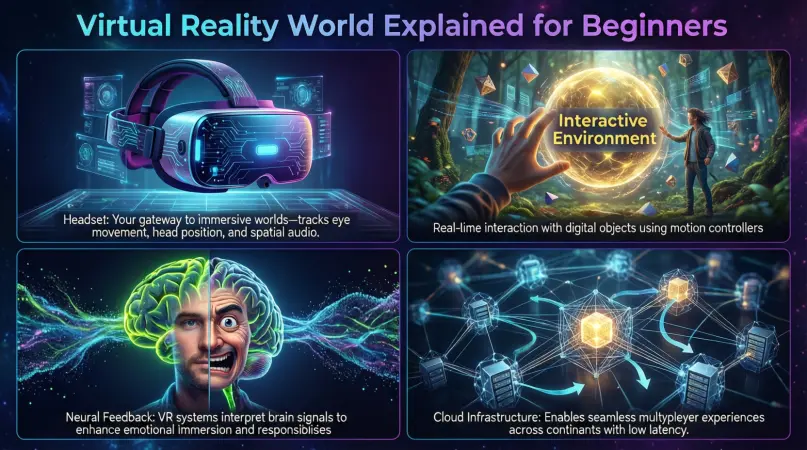
The virtual reality world usually includes three main elements:
- A VR headset that displays the digital environment
- Sensors that track head and body movement
- Software that creates and controls the virtual space
For example, in a virtual classroom, a student can sit at a digital desk, look around, and interact with learning objects. In gaming, players can walk, jump, or fight in a virtual battlefield. The goal is to make the experience feel as real as possible.
Why Is Virtual Reality World Important?
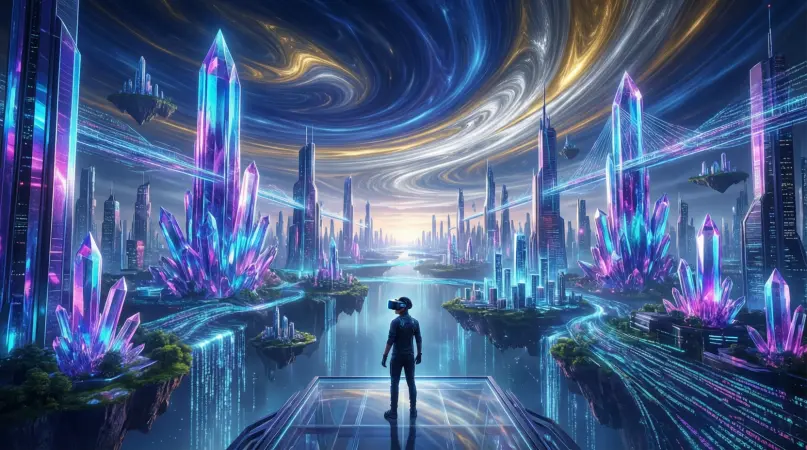
The virtual reality world is important because it changes how humans interact with technology. Instead of being passive viewers, users become active participants. This shift opens new opportunities in many fields.
First, it improves learning and training. People learn faster when they experience something instead of just reading or watching. For example, medical students can practice surgeries in a safe virtual environment.
Second, it saves time and cost. Businesses use virtual reality to train employees without real-world risks or travel expenses. Architects show virtual buildings before construction starts.
Third, it creates new ways to connect. Social VR platforms allow people from different countries to meet, talk, and work together in the same virtual space.
Finally, the virtual reality world supports creativity and innovation. Artists, designers, and developers can build experiences that were impossible before. This technology is shaping the future of digital interaction.
Detailed Step-by-Step Guide
Step 1: Understanding the Basic Requirements
Before entering the virtual reality world, you need to understand what is required. The basic setup includes hardware and software.
Hardware usually includes a VR headset. Some popular types are standalone headsets, PC-based headsets, and console-based headsets. Standalone headsets work without a computer, making them beginner-friendly.
Software includes VR apps, games, or platforms. These are installed from official stores and designed for specific headsets.
Step 2: Choosing the Right VR Headset
Choosing the right headset depends on your budget and purpose. Beginners should start with simple and affordable options.
Consider these factors:
- Comfort and weight
- Screen quality
- Motion tracking accuracy
- Available content
A comfortable headset helps avoid fatigue and motion sickness. Clear visuals improve immersion in the virtual reality world.
Step 3: Setting Up Your Space
You need a safe physical space to use VR. Clear the area of obstacles like furniture or wires.
Most systems allow you to define a play area. This feature warns you when you move too close to real-world objects. Proper setup ensures safety and smooth experience.
Step 4: Installing VR Software
After setup, install VR software from official stores. Start with beginner-friendly apps that help you learn controls.
Examples include virtual tours, simple games, or guided experiences. These help users get comfortable inside the virtual reality world.
Step 5: Learning Controls and Navigation
VR controls may feel strange at first. Take time to learn how to move, select items, and interact.
Most apps include tutorials. Follow them patiently. With practice, navigation becomes natural and enjoyable.
Step 6: Exploring Different Experiences
Once comfortable, explore different VR categories:
- Games and entertainment
- Education and training
- Social interaction
- Virtual travel
Trying different experiences helps you understand the full potential of the virtual reality world.
Benefits of Virtual Reality World
The virtual reality world offers many advantages across industries and personal use.
- Provides immersive learning experiences
- Improves skill training without real-world risks
- Enhances gaming and entertainment
- Supports remote collaboration and meetings
- Helps in therapy and mental health treatment
- Saves cost in training and design
- Encourages creativity and innovation
These benefits make virtual reality valuable for both individuals and organizations.
Disadvantages / Risks
Despite its advantages, the virtual reality world also has some drawbacks.
- Can cause motion sickness or eye strain
- Requires expensive equipment for advanced setups
- May lead to reduced physical activity
- Risk of addiction if overused
- Privacy and data security concerns
- Not suitable for all age groups
Understanding these risks helps users make responsible choices.
Common Mistakes to Avoid
Many beginners make simple mistakes when entering the virtual reality world.
One common mistake is skipping setup instructions. This can lead to poor performance or safety issues.
Another mistake is using VR for long sessions without breaks. This can cause discomfort or fatigue.
Some users also buy expensive equipment without understanding their needs. Starting small is often better.
Ignoring physical surroundings is another issue. Always ensure a safe play area.
Avoiding these mistakes leads to a better and safer VR experience.
FAQs
What is the virtual reality world used for?
The virtual reality world is used for gaming, education, training, healthcare, social interaction, and virtual travel. It allows users to experience digital environments realistically.
Is virtual reality safe for beginners?
Yes, it is safe when used properly. Beginners should start with short sessions, follow safety guidelines, and use comfortable equipment.
Do I need a powerful computer for VR?
Not always. Standalone VR headsets do not require a computer. However, advanced VR systems may need a powerful PC.
Can children use the virtual reality world?
Some VR systems are suitable for older children. Parents should follow age guidelines and limit usage time.
Does virtual reality cause health problems?
Extended use may cause eye strain or motion sickness. Taking regular breaks reduces these risks.
How expensive is virtual reality equipment?
Prices vary. Entry-level headsets are affordable, while advanced systems cost more. Choose based on your needs.
Expert Tips & Bonus Points
Start slow and increase usage gradually. This helps your body adjust.
Always keep your software updated for better performance and security.
Use VR in a well-lit, ventilated room to stay comfortable.
Try educational experiences, not just games. Learning in VR can be very effective.
Set time limits to avoid overuse and fatigue.
Clean your headset regularly for hygiene and comfort.
Conclusion
The virtual reality world is more than just a trend. It is a powerful technology that is reshaping how people interact with digital content. From immersive games to practical training and education, virtual reality offers experiences that feel real and engaging.
For beginners, the idea of entering a virtual world may seem confusing at first. However, with the right equipment, proper setup, and basic understanding, anyone can enjoy it safely. The key is to start simple, learn step by step, and explore different experiences gradually.